Create a Contest
Last updated: March 16, 2026
HackerRank Community allows you to create coding contests and share challenges with participants worldwide. Once your contest is set up, you can invite participants and track submissions in real-time.
Creating a contest
To create a contest:
Log in to HackerRank Community using your credentials.
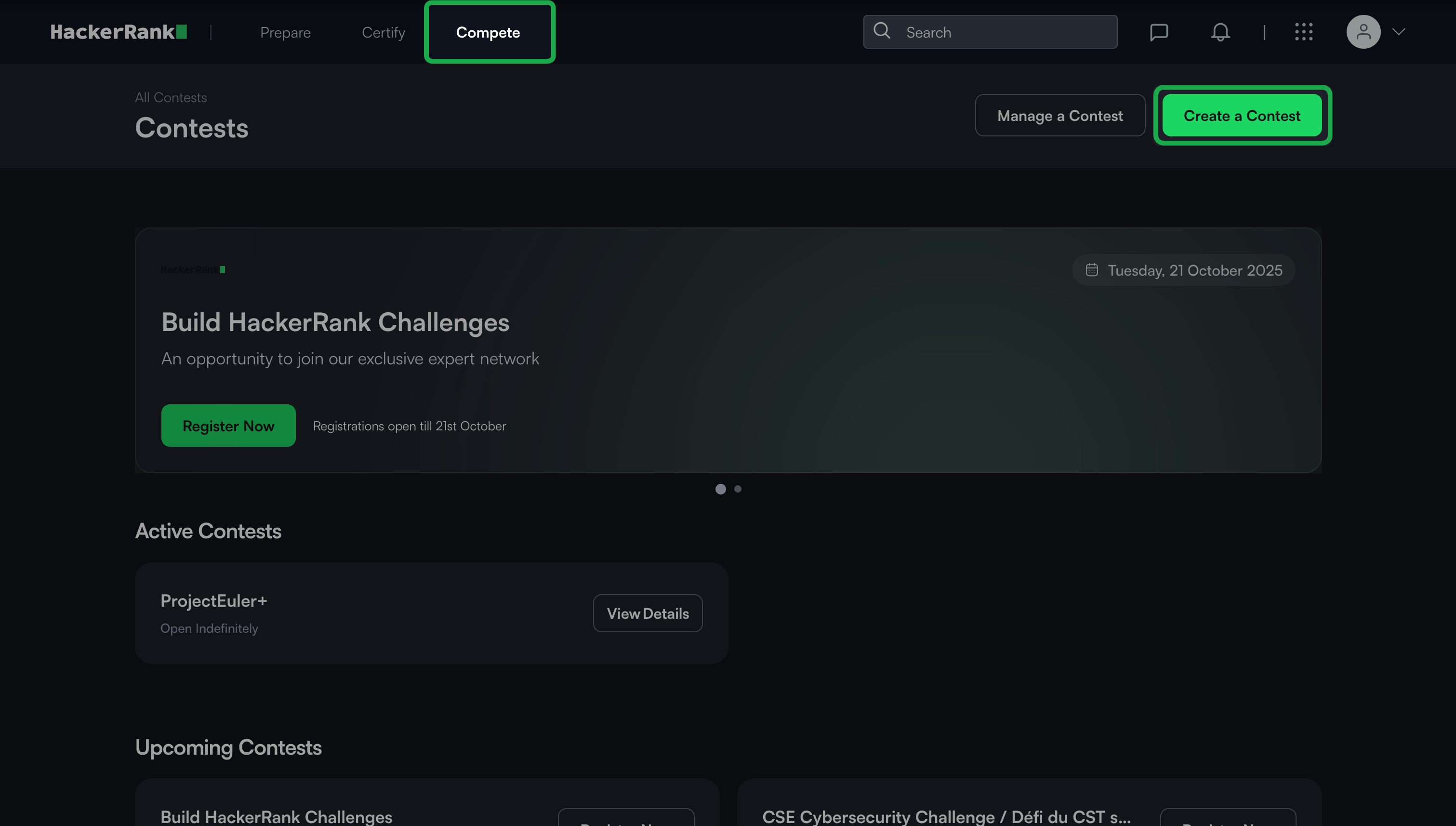
Go to the Compete tab.
Click Create a Contest.
In the Create Contest form, enter the following details:
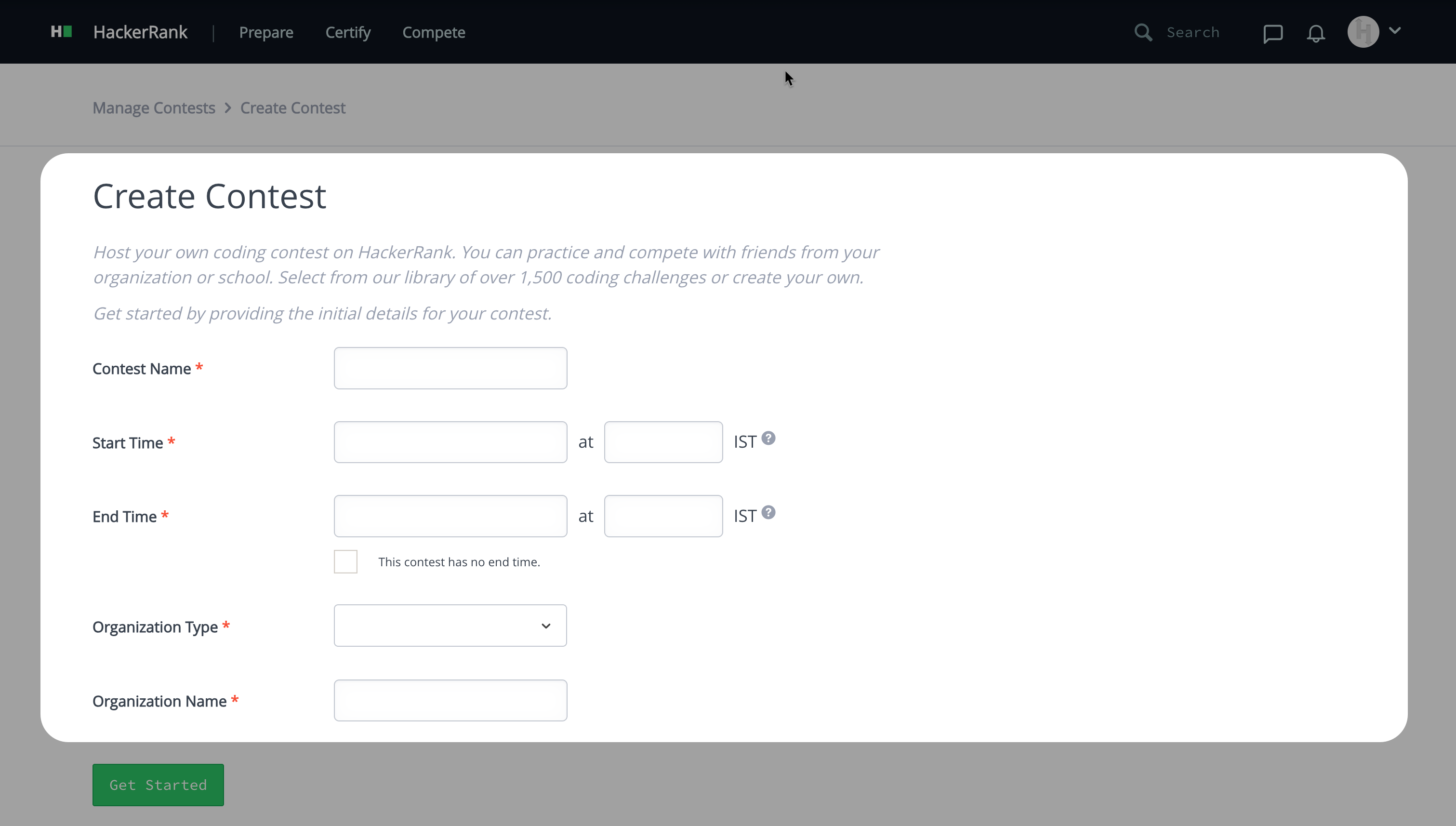
Contest Name: Provide a name for your contest.
Start Time: Specify the date and time when the contest begins.
End Time: Specify the date and time when the contest ends. Alternatively, select the checkbox if the contest has no end time.
Organization Type: Choose the type of organization hosting the contest from the drop-down list (For example, Company, School, Non-Profit, Bootcamp, or Other).
Organization Name: Enter the name of your organization.
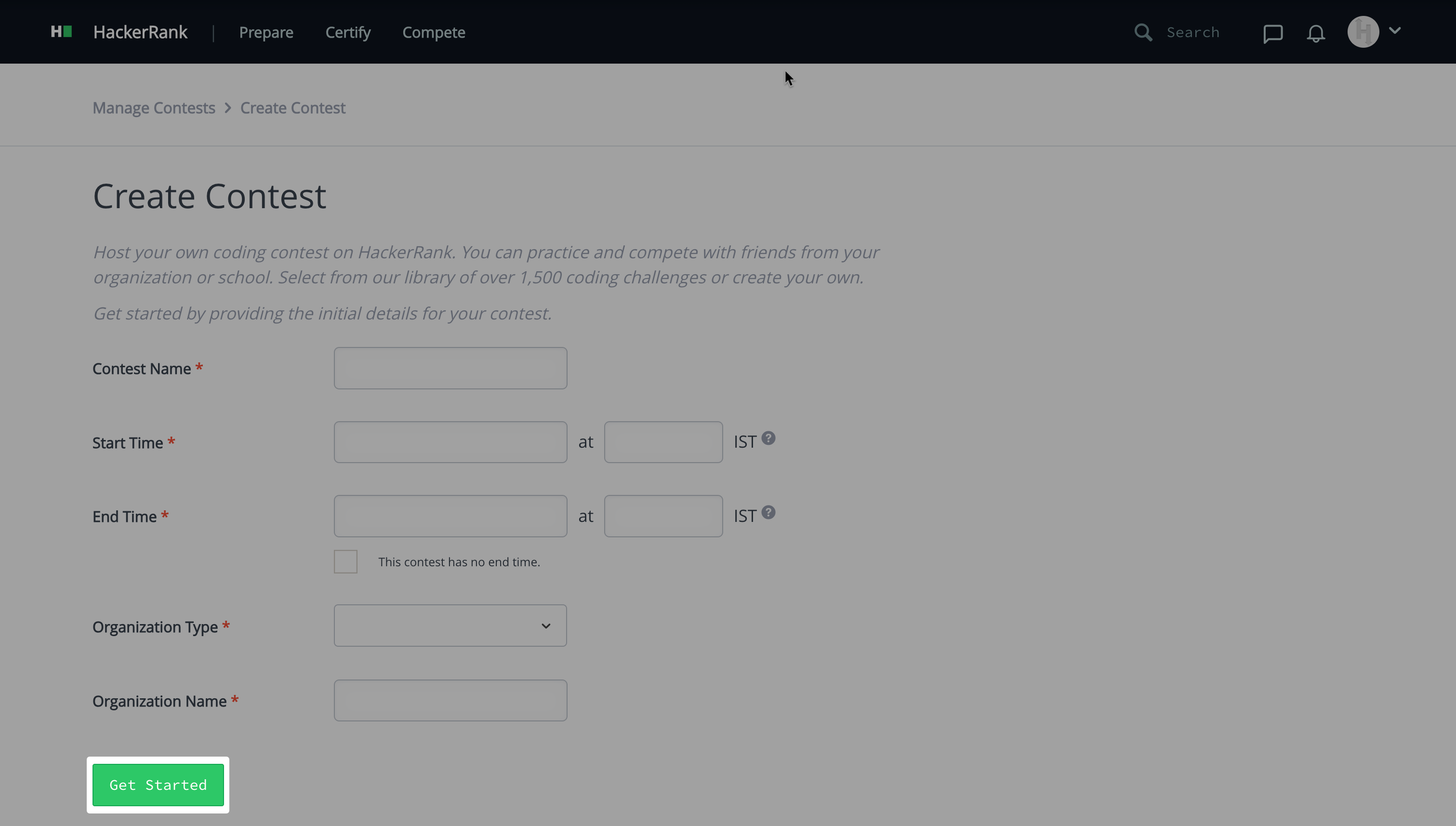
Click Get Started to create the contest.
Note:
HackerRank performs a Content Review for all newly created contests to ensure they comply with HackerRank’s guidelines. The review usually completes within 24 hours. This process helps prevent fake, misleading, or unsafe contests from appearing on the platform.
If HackerRank removes your contest after the Content Review, you will receive an email. You can create a new contest after making the necessary corrections.
If you believe the review outcome needs reconsideration, contact help@hackerrank.com. The HackerRank team reviews all requests and reinstates valid contests when appropriate.
Tips :
Follow these best practices to ensure your contest meets HackerRank platform standards:
Use a clear, relevant title that reflects a programming or learning theme.
Write a concise, meaningful description that explains the contest’s purpose.
Add at least one coding challenge before you publish.
Avoid external links, sign-up forms, or promotional content.
Keep all participant interactions within the HackerRank platform.
Use professional and respectful language throughout your contest details.
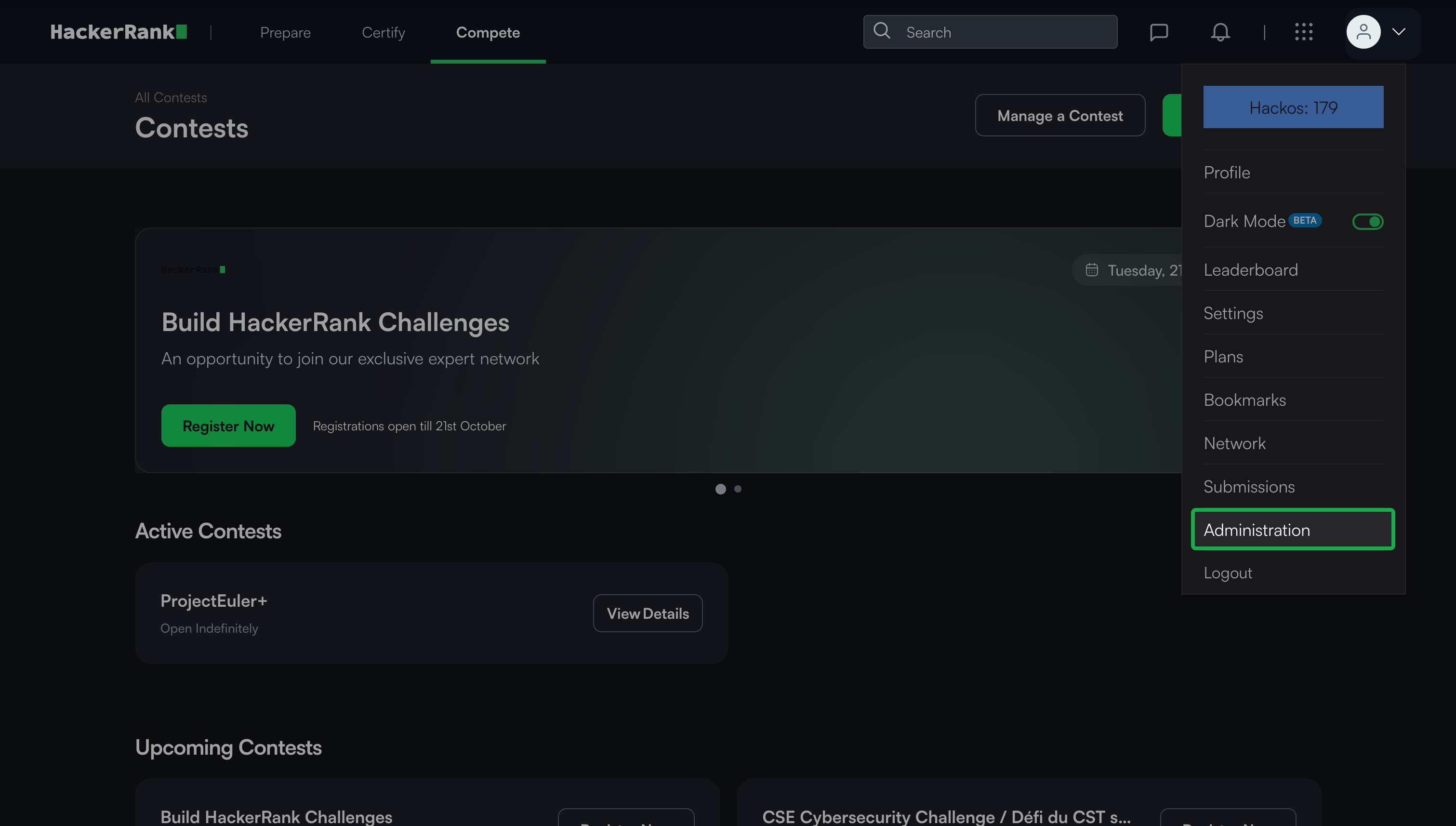
You can also create a contest from your Profile menu. To create a contest from your Profile menu, select Administration > Manage Contest > Create Contest.