Troubleshooting Login Issues
Last updated: October 27, 2025
This article explains how to resolve common login issues that you may encounter when accessing your HackerRank Community account.
Issue 1: Invalid credentials
Cause: You entered an incorrect email address or password.
HackerRank supports login using an email and password or third-party accounts such as Google, Facebook, LinkedIn, and GitHub.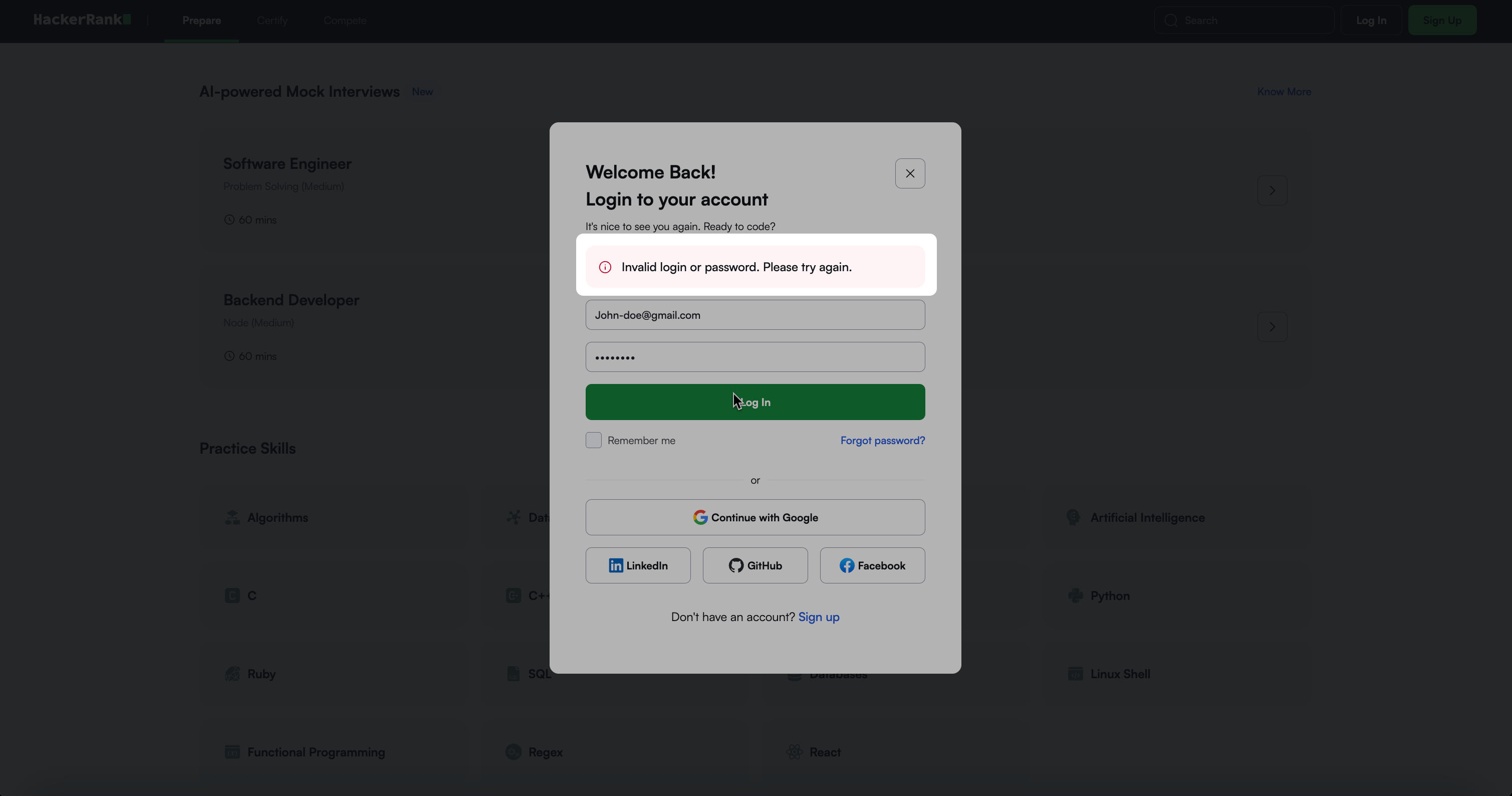
Solution:
Verify that you are entering the correct email address and password.
If you signed up using a third-party account (Google, Facebook, LinkedIn, or GitHub), use the same platform to log in.
Select Forgot Password on the login page to reset your credentials if needed.
Remove any saved passwords from your browser before trying again.
Note: If you do not have a HackerRank account, see 📄 Create an Account.
Issue 2: Wrong login page
Cause: You are trying to log in using HackerRank business URL instead of the HackerRank for developer URL.
For example, you may see the message:
Please use a valid business email address to sign up.Solution: Use the following HackerRank for developer login URL: https://www.hackerrank.com/signup
Issue 3: Password or cache
Cause: Saved passwords or cached browser data are preventing you from logging in successfully.
Solution:
Clear your browser cache and remove all saved HackerRank passwords.
Select Forgot Password on the login page to reset your credentials if needed.