System Design Mock Interview
Last updated: February 19, 2026
The System Design Mock Interview is an AI-powered simulation of a real-world system design interview. It provides a timed environment to help you improve your design thinking skills and prepare for real interviews.
Prerequisites
Before you begin:
Review system design fundamentals using Alex Xu’s book or newsletter to understand key concepts and common interview topics.
Revise core principles such as scalability, consistency, and caching.
Ensure you have the following:
Stable internet connection
Working microphone (optional—required only if you plan to use voice input)
Quiet, distraction-free environment
Note: Block at least one hour of uninterrupted time to complete the Mock Interview successfully.
Starting Mock Interview
To start the Mock Interview:
Log in to HackerRank Community using your credentials.
Go to the Prepare tab.
In the Mock Interviews for you section, locate the System Design card.
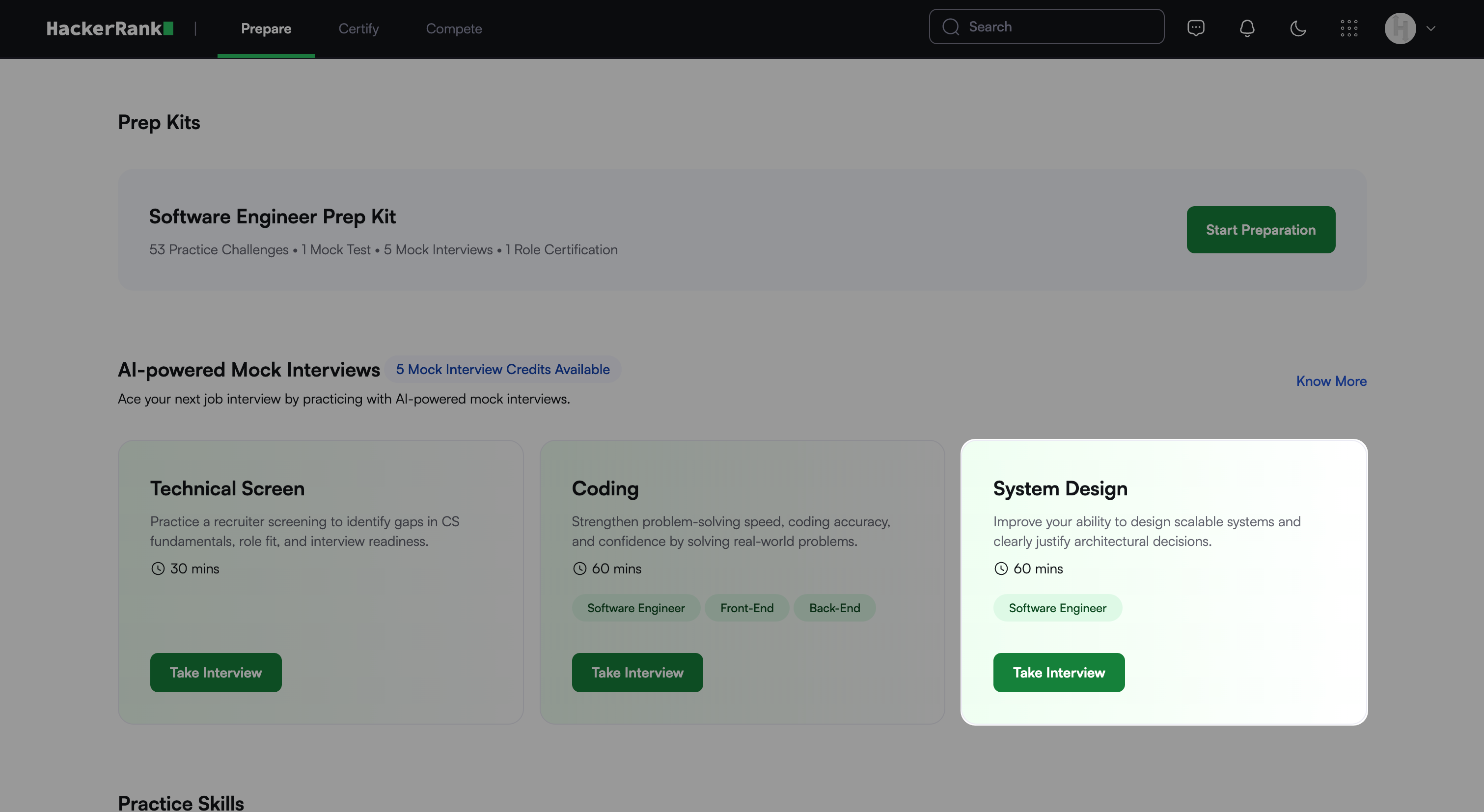
Check the banner to view your available Mock Interview credits.

If you have used all available attempts or need more, you can purchase additional credits. For more information, refer to the 📄 Purchase Mock Interview Credits.
Click Take Interview. The pre-interview overview screen appears, as shown in the following screenshot.
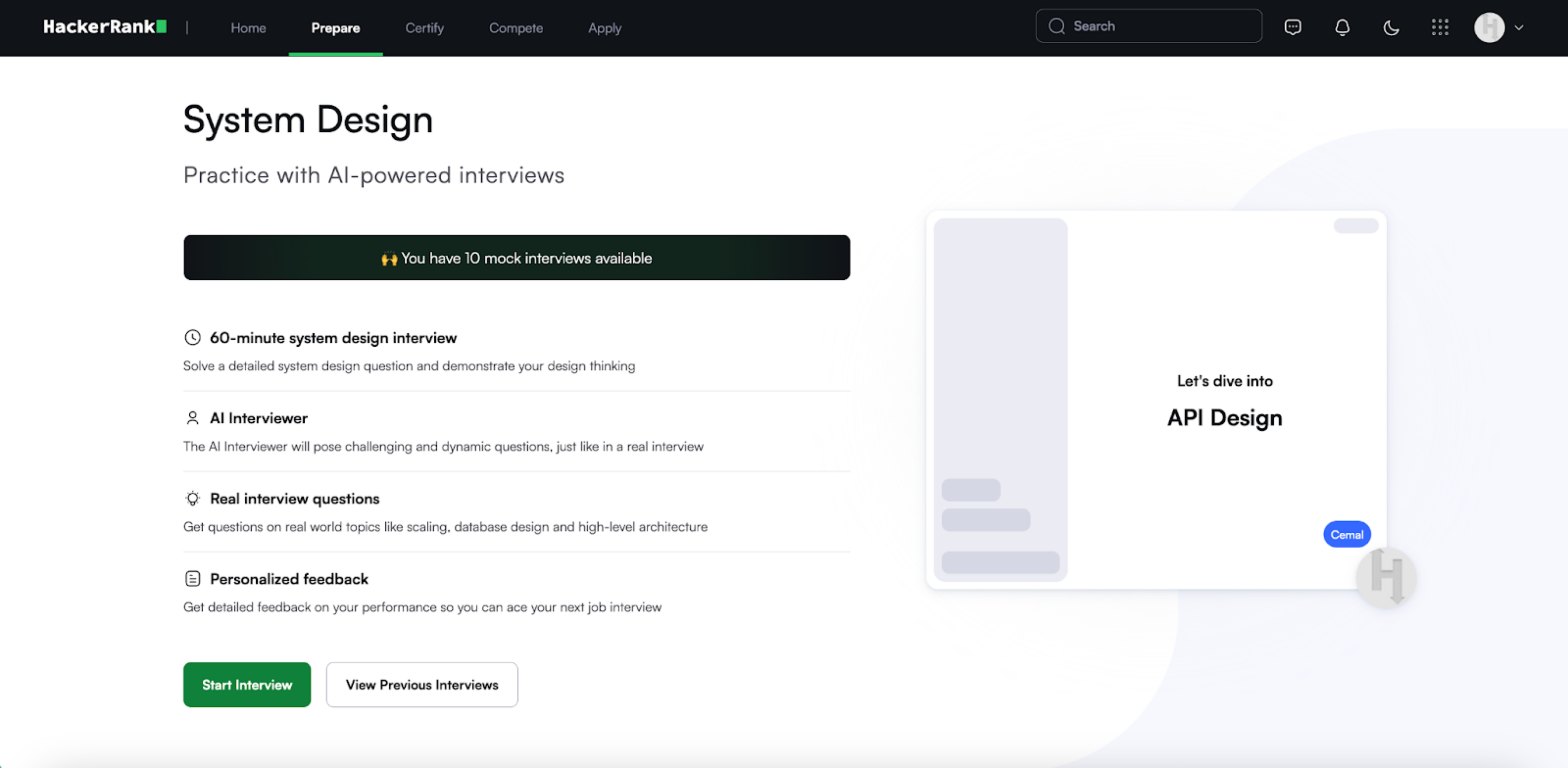
(Optional) Click View Previous Interviews to view a list of your past Mock Interviews with details such as the date attended, score, and feedback.
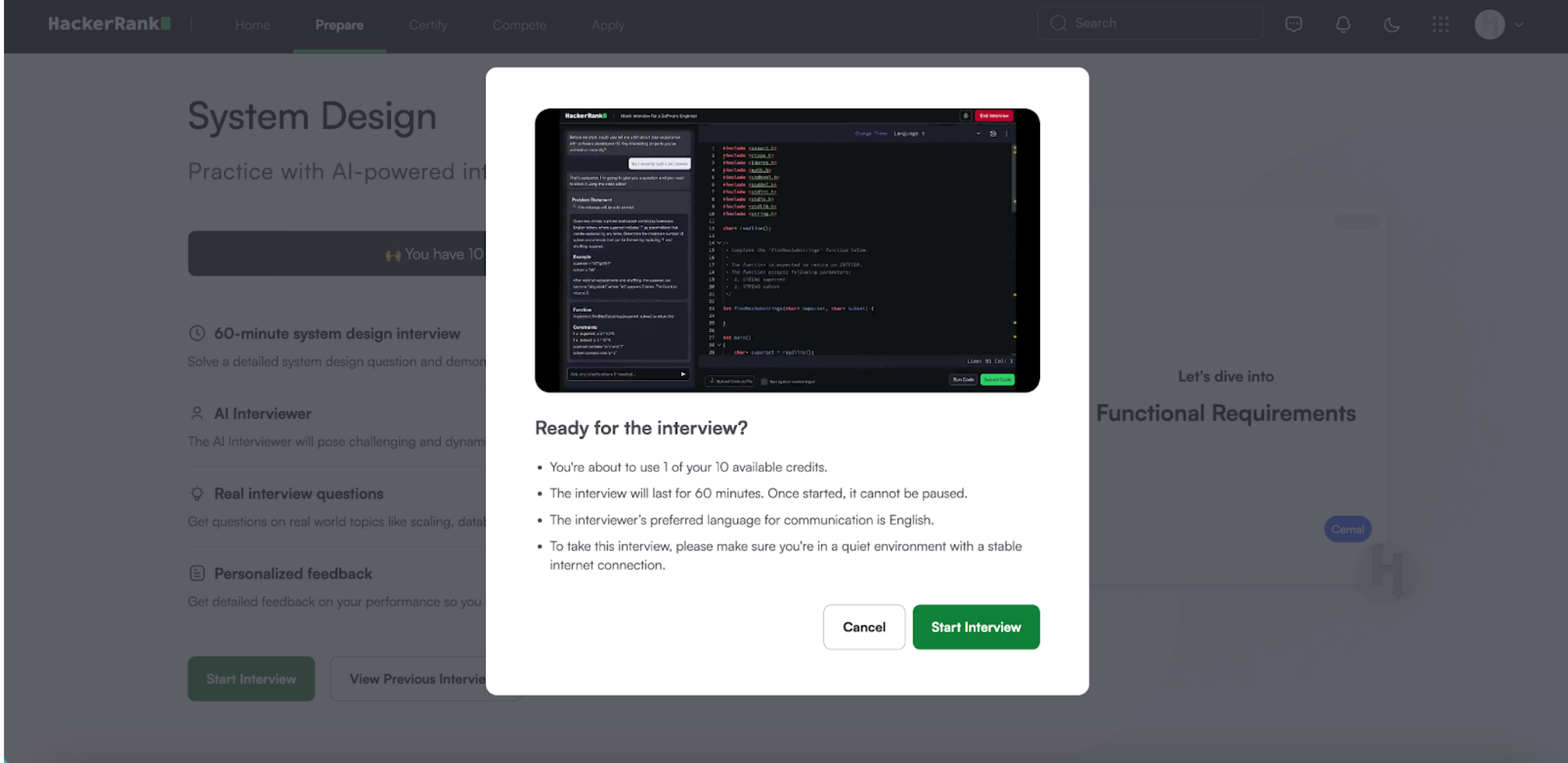
Click Start Interview. A pop-up will confirm your remaining attempts and recommend setup conditions. Click Start Interview again to proceed.
Interacting with AI interviewer
Your System Design Mock Interview begins with a brief, optional tour of the interface.
During the Mock Interview session:
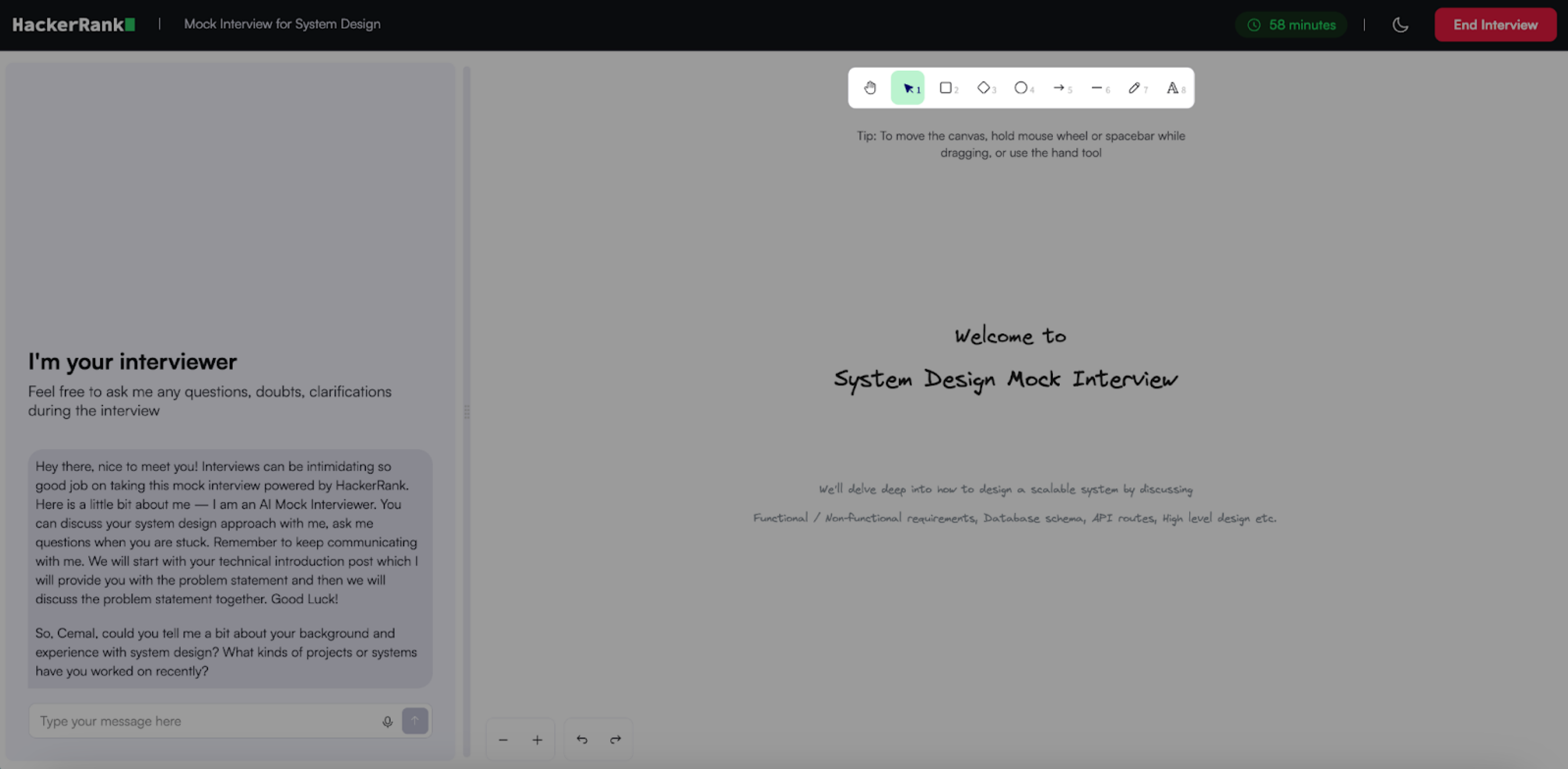
Left panel: Displays chat panel with the AI interviewer.
Right panel: Displays Excalidraw-powered whiteboard.
Top-right corner: Shows a countdown timer, theme toggle (light/dark mode), and the End Interview button.
You can respond using one of the following input methods:
Text input
Type your response in the input field.
Press Enter or click Send to submit.
Speech input
Click the microphone icon to start recording.
Click the icon again to stop recording.
Review the transcript and press Enter or click Send to submit.
The AI interviewer guides you through the Mock Interview in the following sequence:
It begins with introductory questions.
It then presents a system design task based on real-world scenarios.
You can ask clarifying questions anytime to refine the problem scope or gather more information.
Using Whiteboard
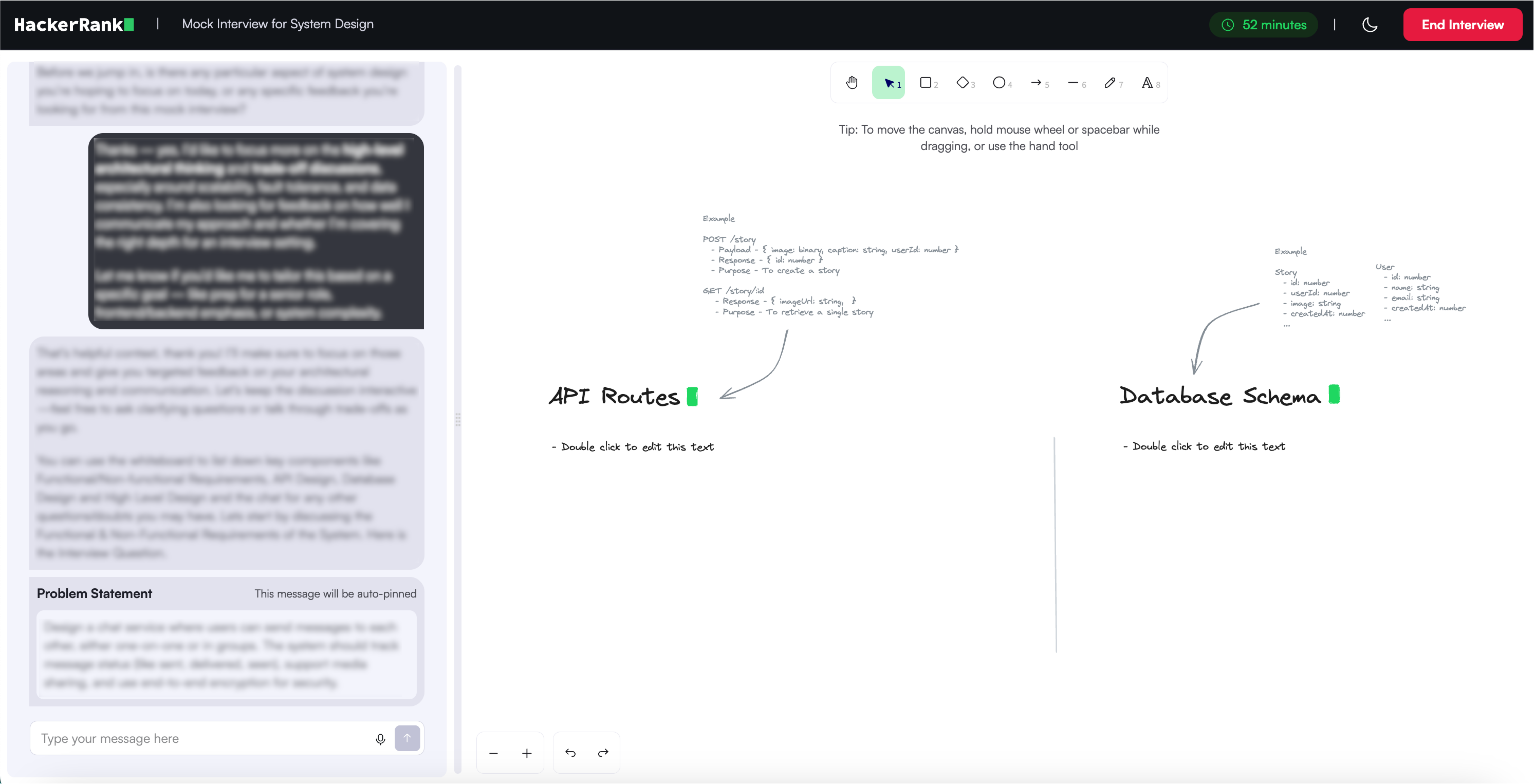
The Whiteboard is organized into the following sections, which you can use to visually communicate your system design throughout the Mock Interview:
Functional and Non-Functional Requirements
API Routes
Database Schema
High-Level Design
At the center of the Whiteboard, you will find access tools to add text, draw shapes, and connect components using arrows. Use these tools to organize and present your system design.
Note: System design interviews do not have a single correct answer. Avoid rushing and take time to understand the problem, clarify requirements, and identify underlying assumptions.
Ask clarifying questions such as:
What specific features are we building?
How many users are expected?
What is the anticipated scale or growth rate?
Start by outlining the Functional and Non-Functional Requirements using the Text tool on the Whiteboard.
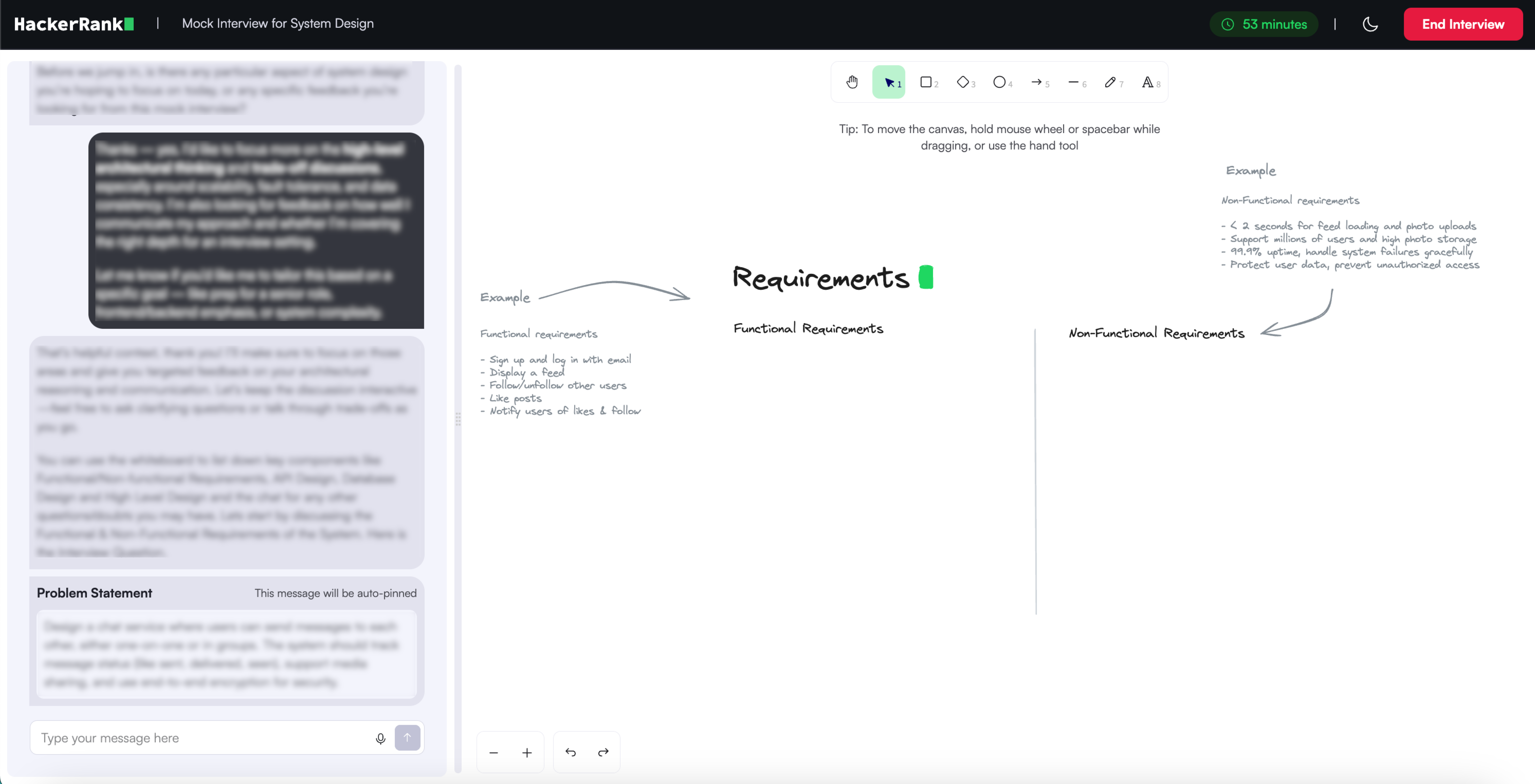
Then, proceed to the API Routes, Database Schema, and High-Level Design sections as prompted by the AI interviewer.
Drawing the high-level design is the final part of the Mock Interview. Use the Shape (for example, rectangles to represent services or databases) and Arrow tools to create a box diagram representing your system.
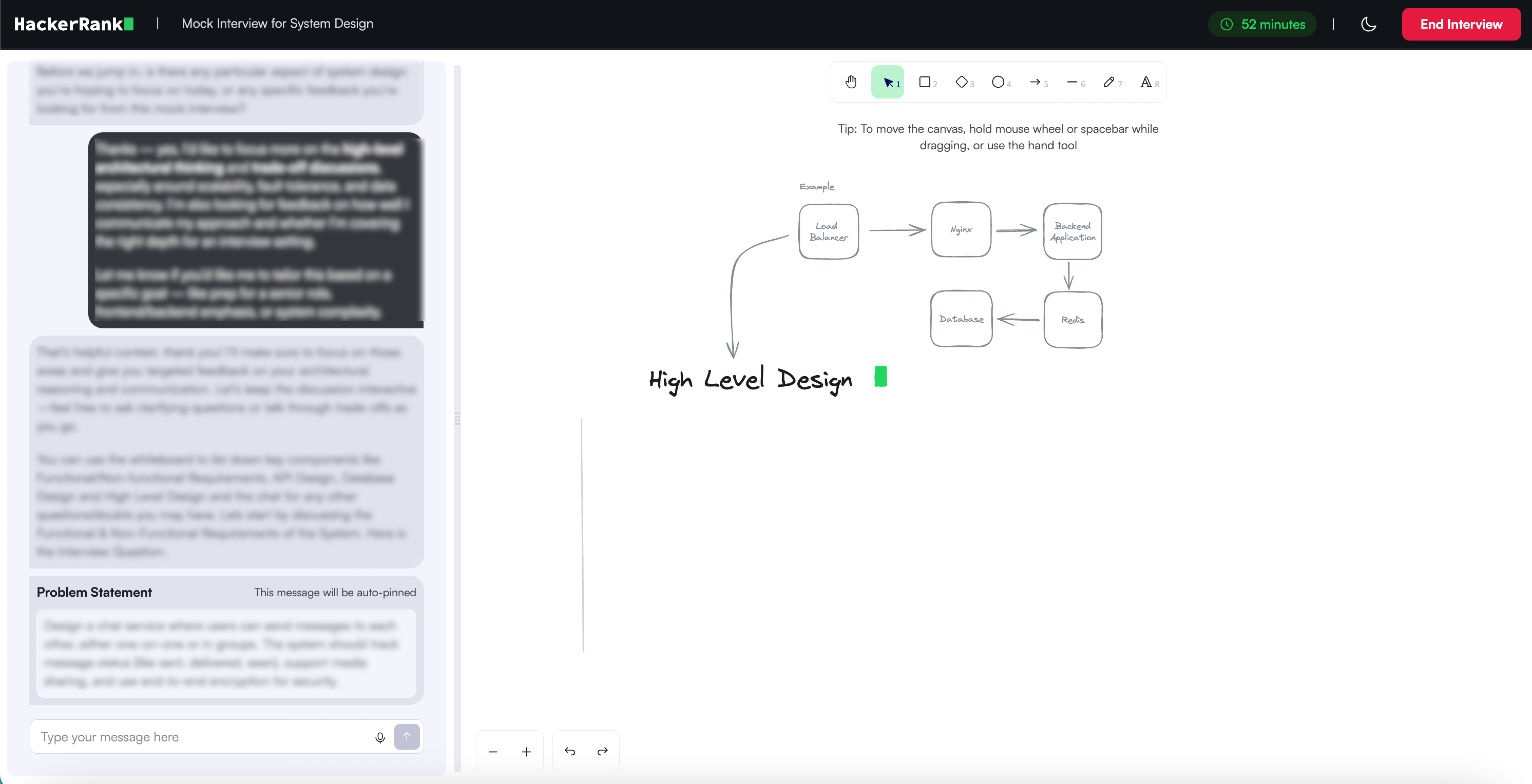
Note: Discuss a few concrete use cases of the system with the AI interviewer. This helps you frame the high-level design more effectively and often surfaces edge cases you may not have considered.
Ending Mock Interview
The Mock Interview ends in one of the following ways:
The 60-minute timer expires
You click End Interview button
The AI interviewer ends the session
Evaluation
When the Mock Interview ends, the code editor is replaced with a feedback screen. The feedback includes evaluations of:
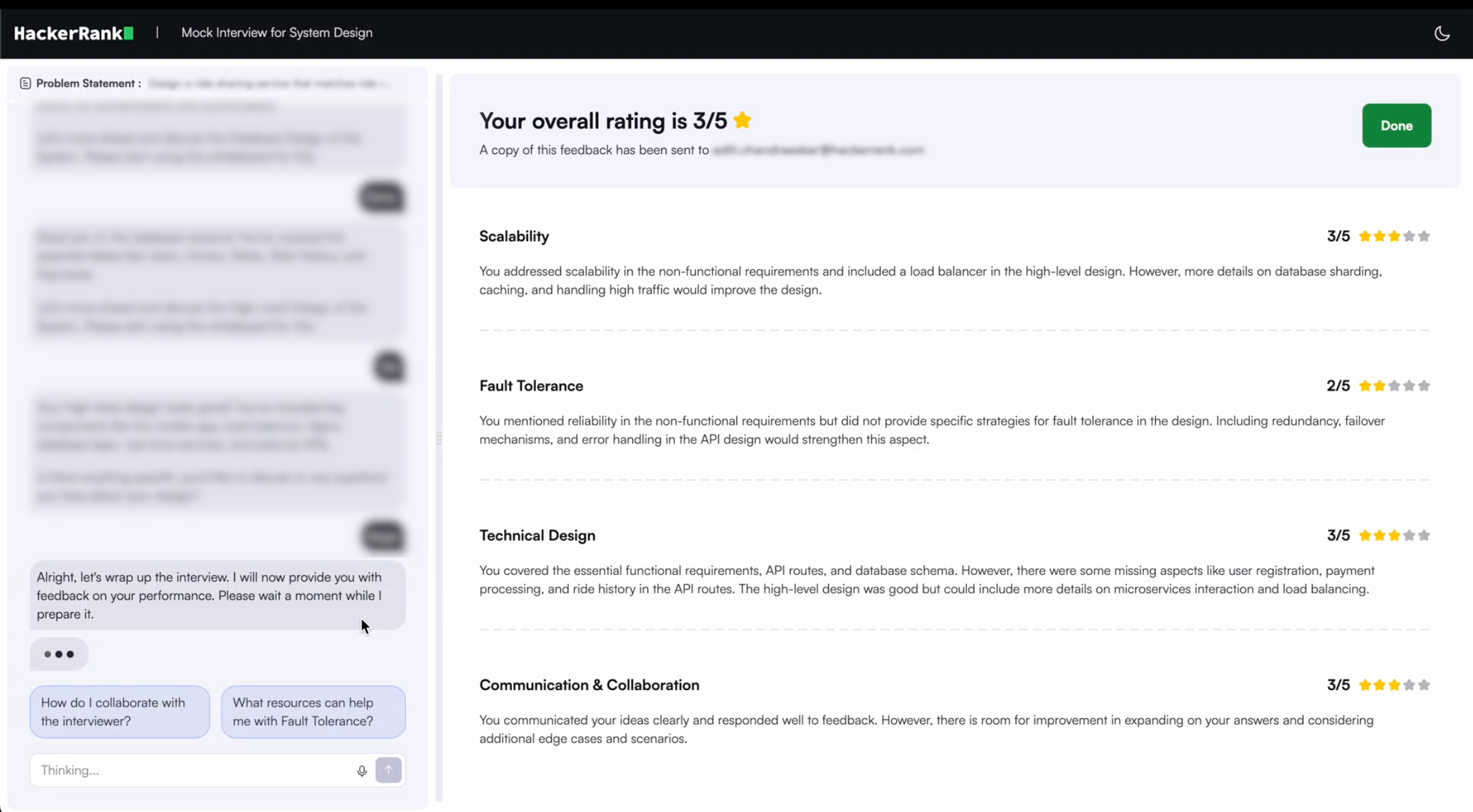
Scalability
Fault tolerance
Technical design
Communication and collaboration
You can use this feedback to identify areas for improvement. After the Mock Interview, you can continue interacting with the AI interviewer to:
Clarify feedback
Get tips to improve specific skills
Ask follow-up questions about the problem
Note: The AI interviewer feedback interaction remains available for 15 minutes after the Mock Interview ends. After that, you will no longer be able to interact with the AI interviewer.
Best practices
Monitor the countdown timer. It turns red as time runs out.
Ask the interviewer clarifying questions if something is unclear.
Stay calm and approach the problem one step at a time.