Update Personal Details
Last updated: October 30, 2025
You can keep your profile information up to date to ensure that employers and the HackerRank Community have the latest details. Your profile remains private by default unless you choose to make it public. Updating your name, phone number, and location helps you maintain a professional presence.
Updating personal details
To update your personal details:
Log in to HackerRank Community using your credentials.
Click the profile icon in the top-right corner.
Select Profile from the drop-down menu.
Add or update profile picture:
Click the edit icon on the profile picture.
Click Upload File.
Select an image from your device.
Click Upload to save changes.
Update name and headline:
Click the edit icon next to your name.
Update the First Name, Last Name, and (optional) Headline.
Click Save to apply changes.
Update contact information:
Click the edit icon in the Personal Information section.
Modify the following fields:
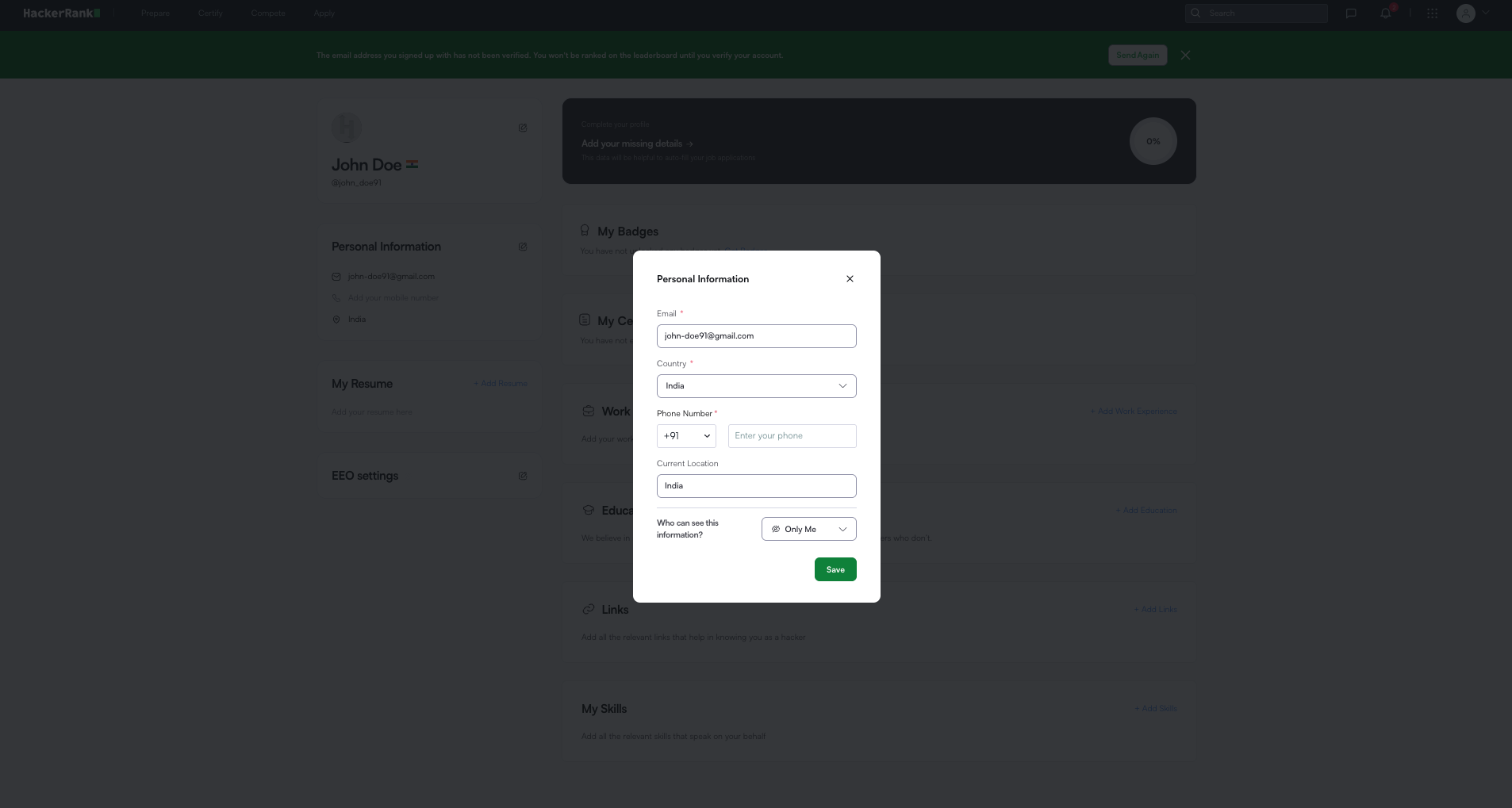
Email
Country
Phone Number
Current Location
In the Who can see this information? drop-down, choose one of the following visibility options:
Only Me: Keeps your information private.
Everyone: Makes your profile publicly visible to others.
Note: If you make your profile publicly visible, other users may see a 404 error when they try to open it.
This occurs when your account has no visible activity, such as:
No completed challenges
No earned badges
No public certifications
Your profile becomes publicly accessible once you complete at least one challenge or earn a badge.
Click Save to apply changes.