Add or Edit Education Details
Last updated: October 30, 2025
You can add or update your educational background in your HackerRank Community profile.
Adding education details
To add your education details:
Log in to HackerRank Community using your credentials.
Click your profile icon in the top-right corner.
Select Profile from the drop-down menu.
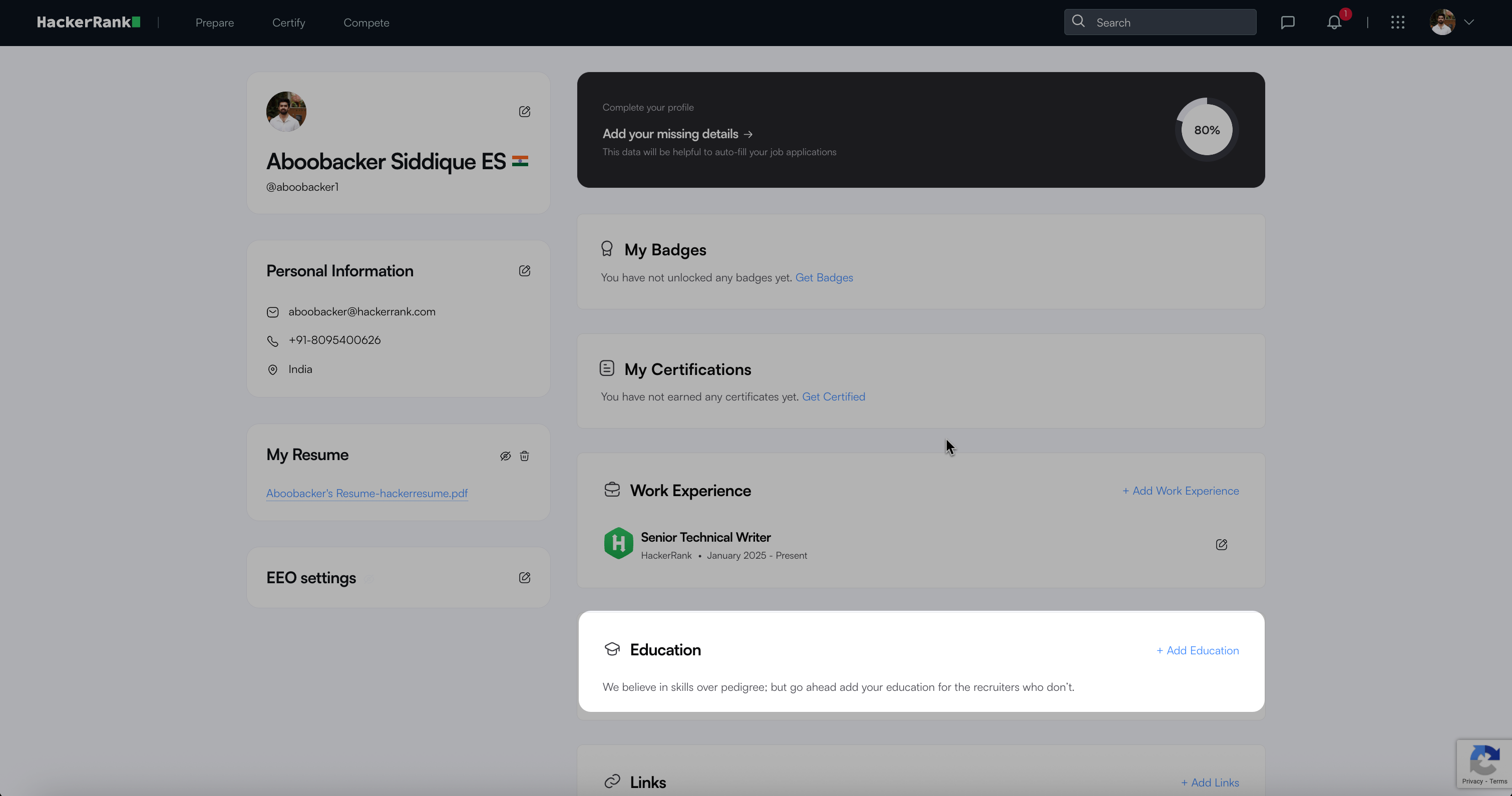
In the Education section, click Add Education.
Enter your education details:
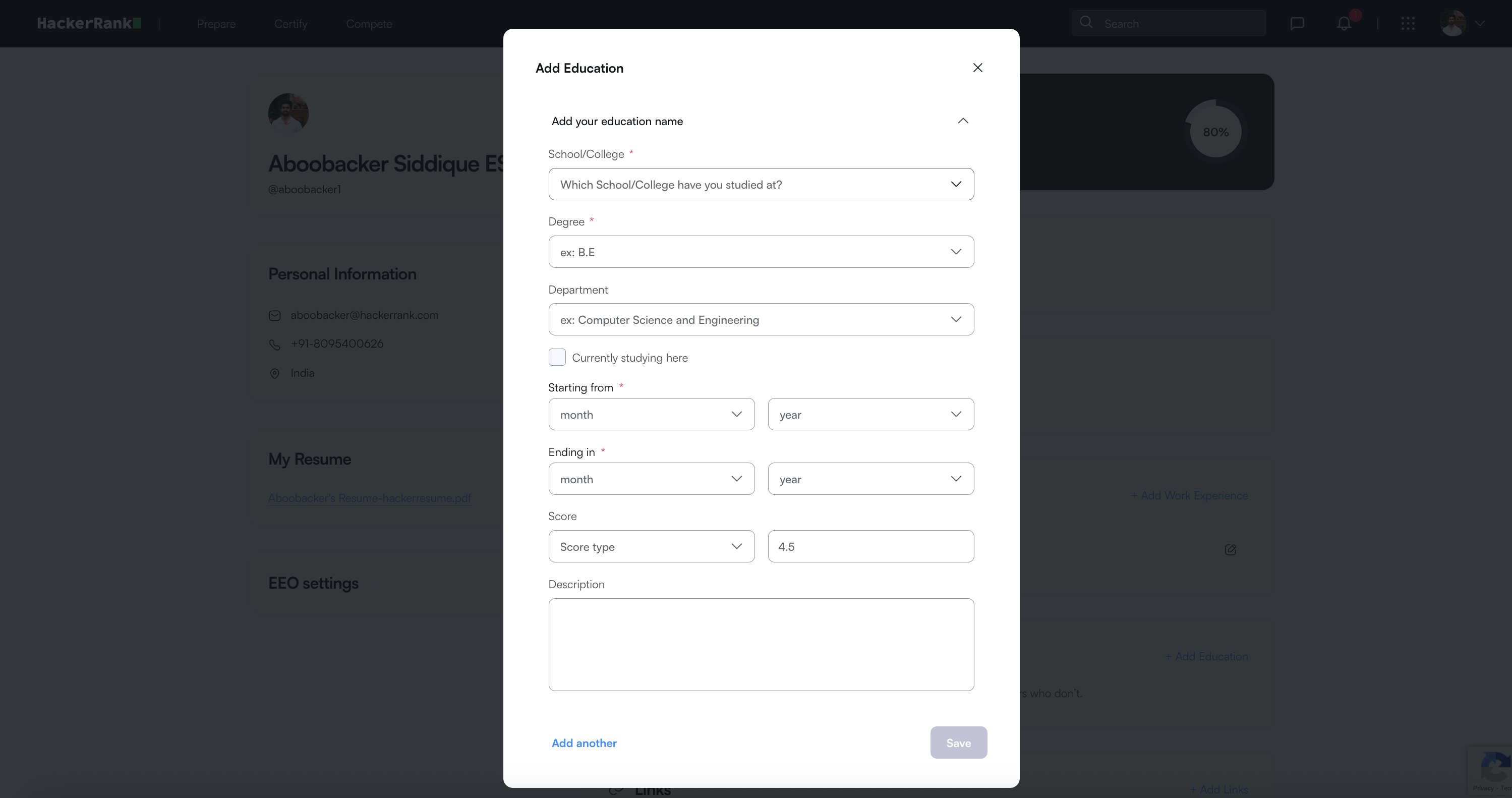
School/College: Enter or select your institution’s name.
Degree: Enter your degree (for example, B.E or M.Tech).
Department: Enter your field of study (for example, Computer Science and Engineering).
Currently studying here: Select this checkbox if you are still pursuing the program. When selected, the Ending in filed is disabled.
Starting from: Select the month and year you started.
Ending in: Select the month and year you completed or expect to complete your program.
Score: Choose the score type (for example, CGPA or Percentage) and enter your score.
Description: Add any relevant details about your coursework or achievements.
(Optional) Click Add another to include another education entry.
Click Save to apply changes.
Editing education details
To edit existing education details:
Click your profile icon in the top-right corner.
Select Profile from the drop-down menu.
In the Education section, click the edit icon next to the entry you want to update.
Modify the required information.
Click Save to confirm changes.
Deleting an education entry
To delete an education entry:
Click your profile icon in the top-right corner.
Select Profile from the drop-down menu.
In the Education section, click the edit icon next to the entry you want to delete.
Click Delete this entry at the bottom of the modal.
Click Delete to confirm.