Delete an Account
Last updated: May 14, 2026
You can delete your HackerRank Community account if you no longer want to use the platform. Deleting your account permanently removes all your data, such as your profile page, earned badges, leaderboard positions, and so on.
Note: If you signed up using a third-party account (for example, Google, GitHub, or Facebook), you must set a password before deleting your account. To do this, follow the steps in the Resetting password documentation.
Deleting an account
To delete your HackerRank Community account:
Log in to the HackerRank Community using your credentials.
Click the profile icon in the upper-right corner.
Select Settings from the drop-down menu. The Settings page appears under the Account section.
Scroll to the Delete Accounts section.
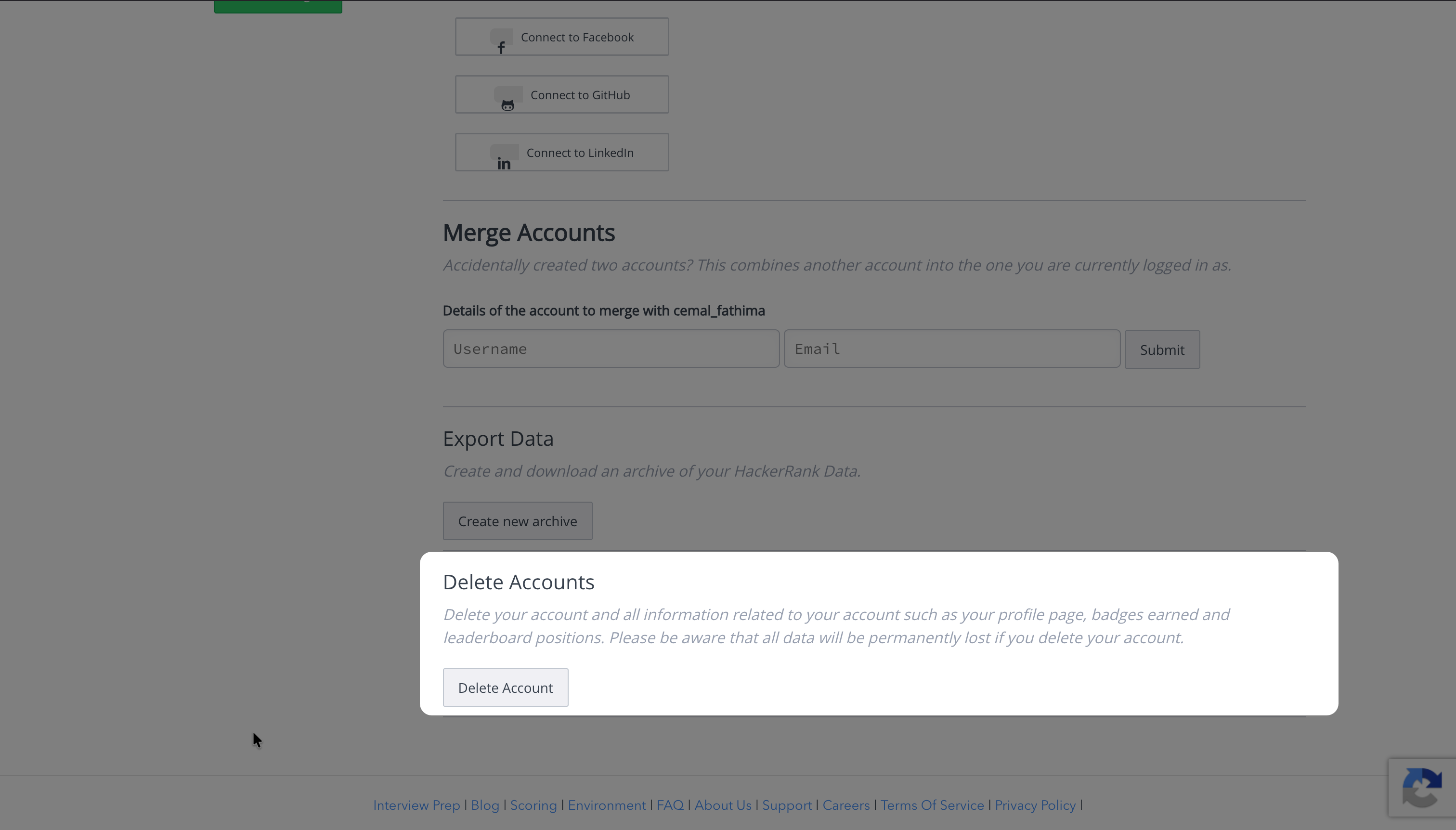
Click Delete Account. A confirmation dialog box appears.
Select a reason for deleting your account from the available options:
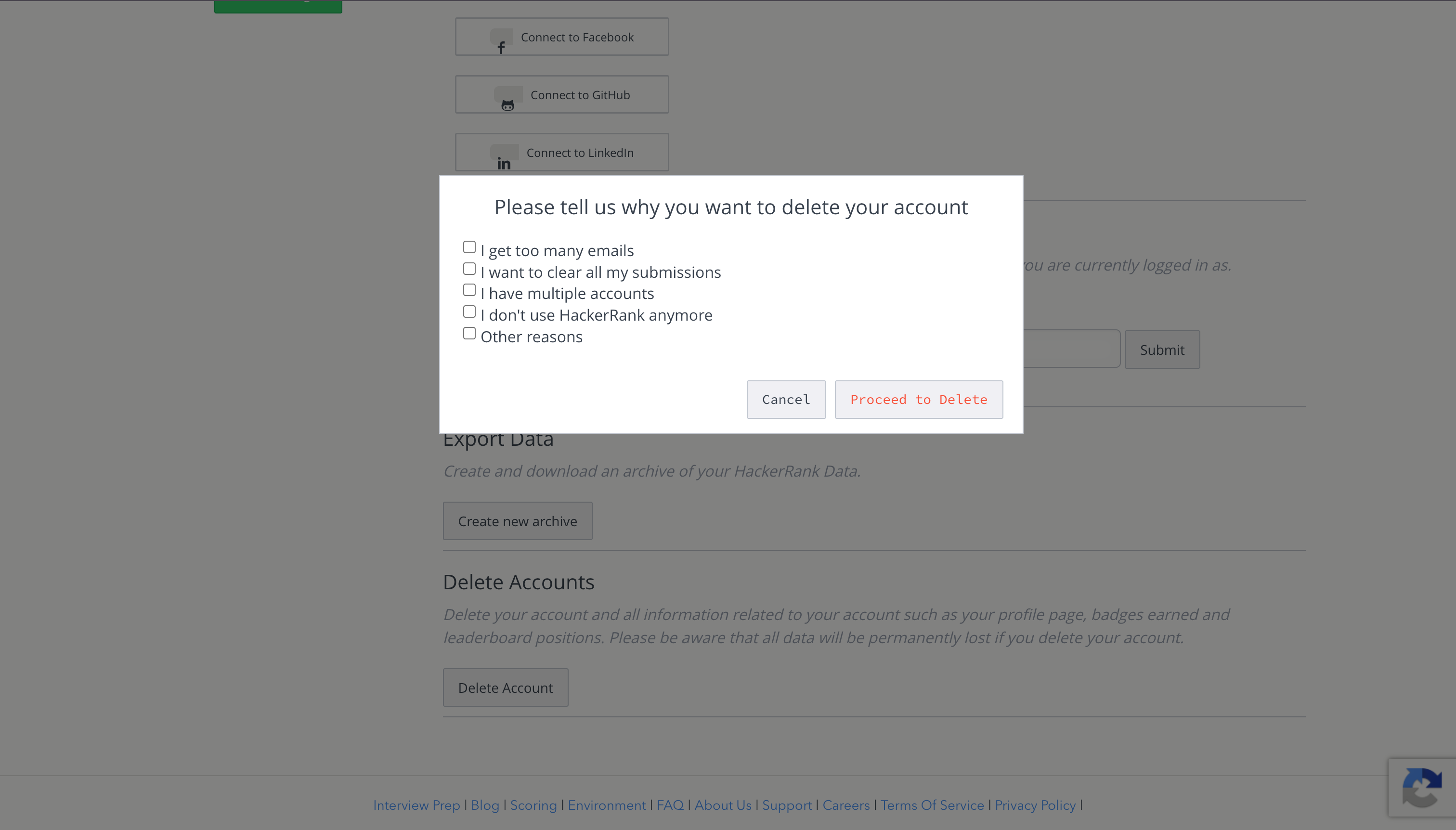
I get too many emails
I want to clear all my submissions
I have multiple accounts
I don’t use HackerRank anymore
Other reasons
Click Proceed to Delete.
Click Send verification code.
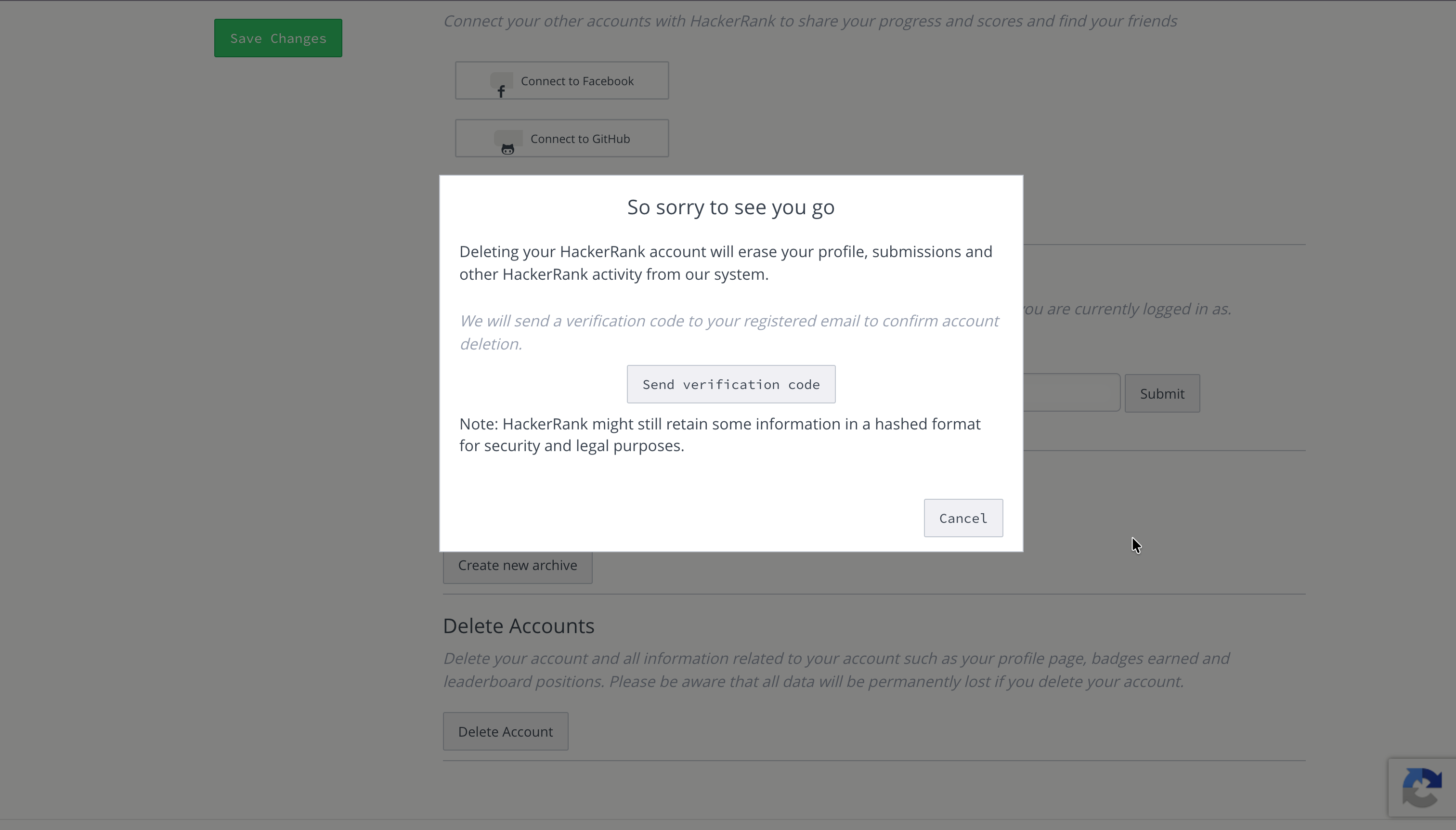
Enter the verification code from your email.
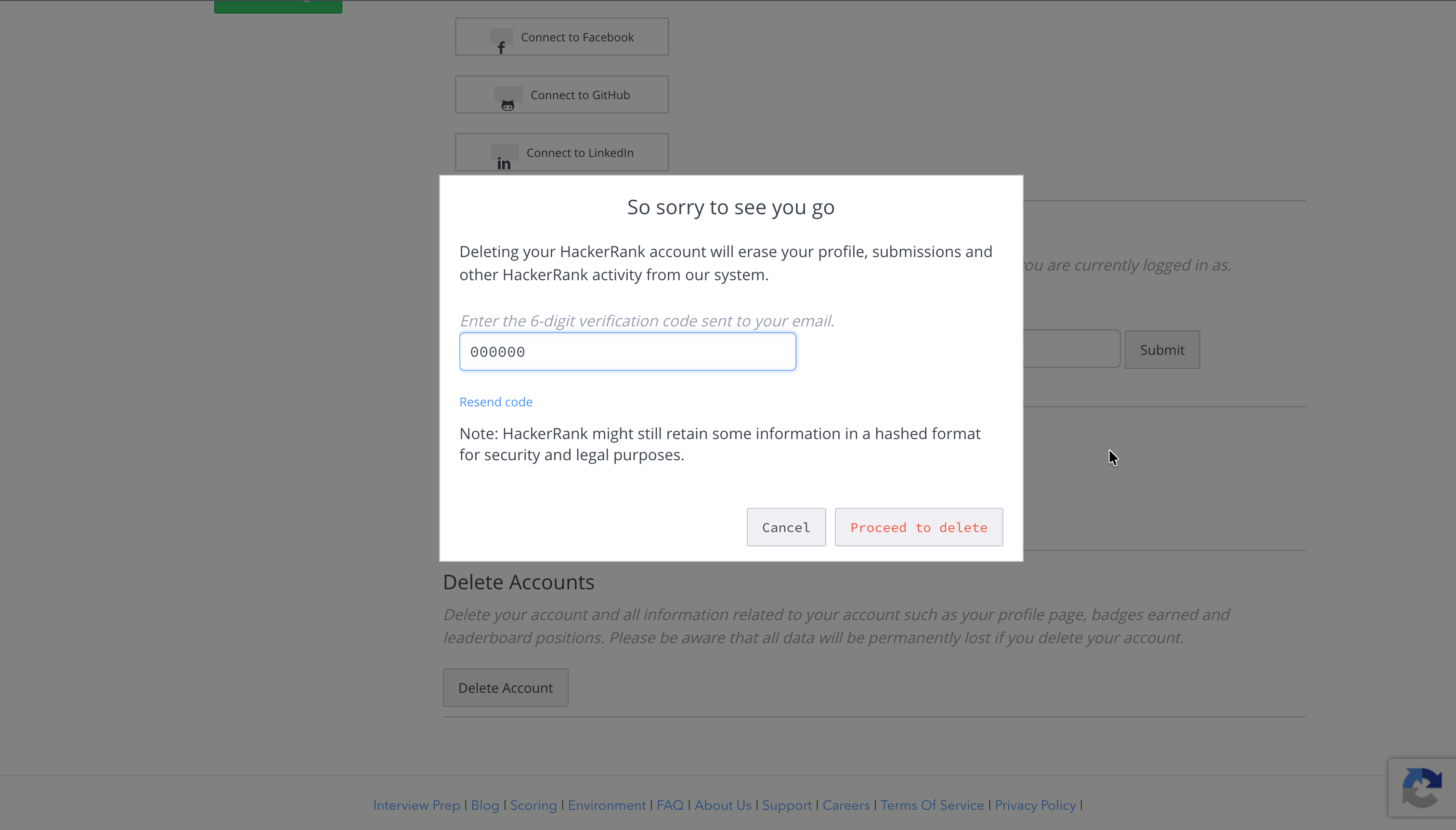
Click Proceed to delete again to confirm and complete the process.
Note: If you accidentally delete your account, contact help@hackerrank.com to recover it.