Merge Multiple HackerRank Accounts
Last updated: March 24, 2025
If you have multiple HackerRank accounts and want to consolidate them, you can merge one account into another.
Merging Accounts
To merge multiple HackerRank accounts:
Log in to HackerRank Community using the credentials of the account you want to keep.
Click the profile icon in the top-right corner.
Select Settings from the drop-down menu. The Settings page opens under the Account section.
In the Merge Accounts section, enter the username and email address of the account you want to merge.
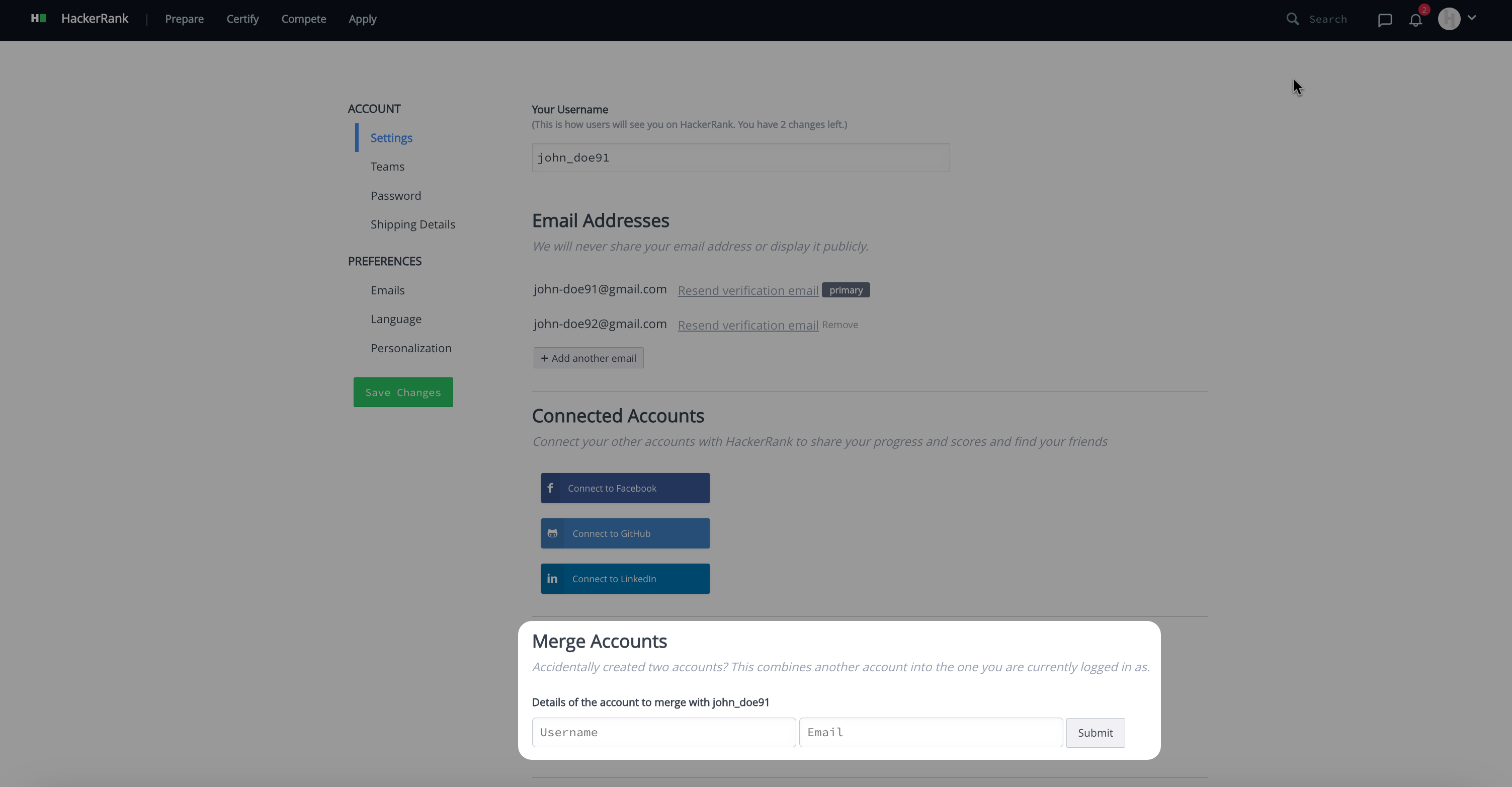
Click Submit.
Check your email inbox for a confirmation message and click the confirmation link to complete the merge.
Important Notes:
The merge process may take up to 48 hours to complete.
The following data will not be merged:
Ratings
Medals
Messages
Hackos
Tutorial progress
Follow data
Merge restrictions
Your merge request cannot be processed if any of the following conditions apply:
The account being merged has participated in a rated competition.
Both accounts have participated in the same contest.